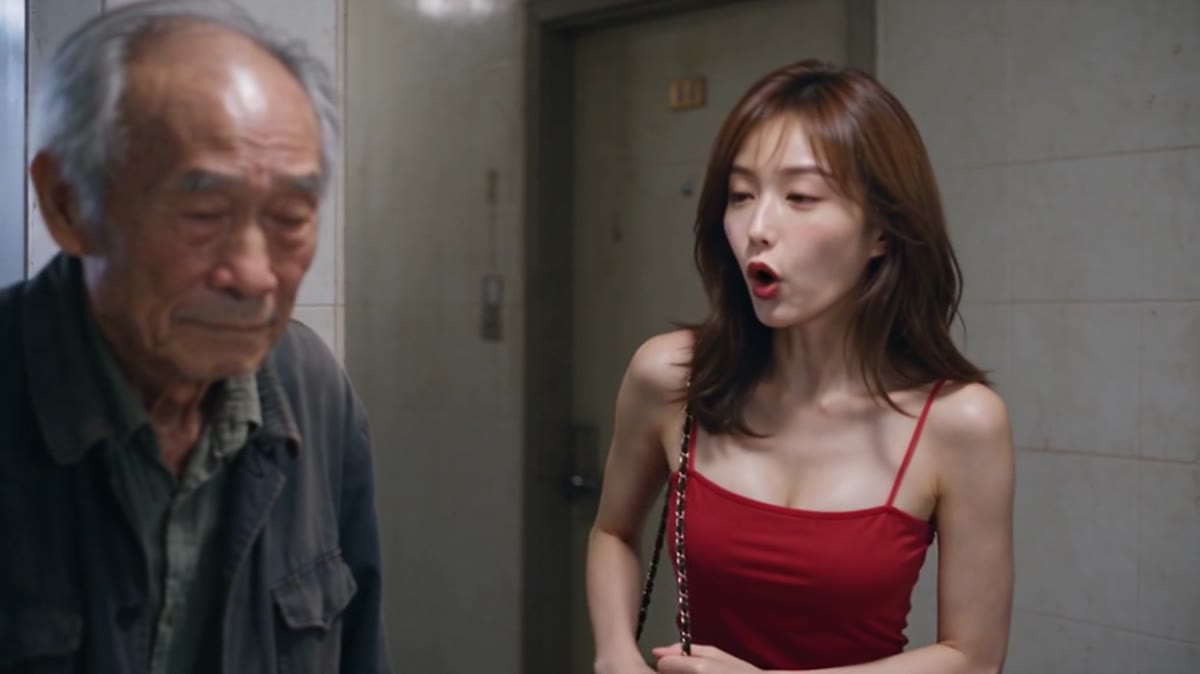
Start with a story and choose the language for your audience. AI translates and adapts the script, extracts characters, scenes and props, and brings local forms of address, clothing and cultural details into the design. Break it into shots, generate clips in batches, and assemble your drama.
Scripts, assets, shots and finished episodes, organized together. AI assists; you direct.
AI script adaptation
Turn novels, stories and outlines into scene-based scripts, guided by your creative direction.
Characters, scenes & props
Extract story assets, design appearances and environments, and generate or upload references.
Intelligent storyboards
Organize visuals, dialogue, mood and timing, with characters and reference assets linked to each shot.
AI video generation
Create clips from shot prompts and references, individually or in batches, then review and refine.
Assembly & export
Combine shot videos into complete episodes, preview and export within the same workflow.
Projects & asset libraries
Organize projects and episodes, reuse shared assets, and follow tasks and previous results.
Consistent names. Protected terms.
Keep character names, places, props and terminology consistent across episodes. Lock important fields and surface conflicts while preserving originals and history.
The same Vietnamese-language project is shown in each interface language. The storyboard view demonstrates production; this example has no generated video yet.
02 / Workflow
You bring the story. Follow it through production.
Enter, choose, review and refine. Each step leads to the next.
01
Add a story. Set a direction.
Bring a novel, story or outline, then choose the final language and localization approach. Creative notes are optional.
02
Adapt the script. Build the assets.
Prepare the script and extract characters, scenes and props. Edit the content and reuse project settings.
03
Break into shots. Create clips.
Review storyboards, refine prompts and link references. Generate videos by shot or in batches.
04
Assemble. Preview. Export.
Select completed shot videos, combine them into an episode, then preview and export.
03 / Localization
Bring your story into a local language and culture.
Consider expression, character design and visual details together. Choose the degree of localization your story needs.
Translate the language while preserving the original region, era and core story setting.
keyAI is an AI drama creation system connecting script adaptation, asset production, storyboards, video generation and episode assembly, with multilingual and cultural localization.
How do I start?
Start a project with a story, choose the final language and localization approach, then continue through script, assets, video and export.
Does changing language change the story setting?
Language and background are separate. Keep the original setting, adapt selected details, or relocate the story to a target region.
Can I edit AI-generated content?
You can edit scripts, asset descriptions and prompts, adjust shots and change reference bindings as you work.
How are generation costs calculated?
Text, image and video generation use the model services you configure. Charges depend on the provider and actual tasks. Software availability will follow the release announcement.
Can I run it locally?
The system supports local deployment and local asset storage. AI generation uses your configured model services.
keyAI Multilingual Drama Studio
Your next story starts here.
Let AI help move production forward. Let your ideas lead the story.